 Alomar ApplyHistoryQueue
Install & pin Alomar Apply
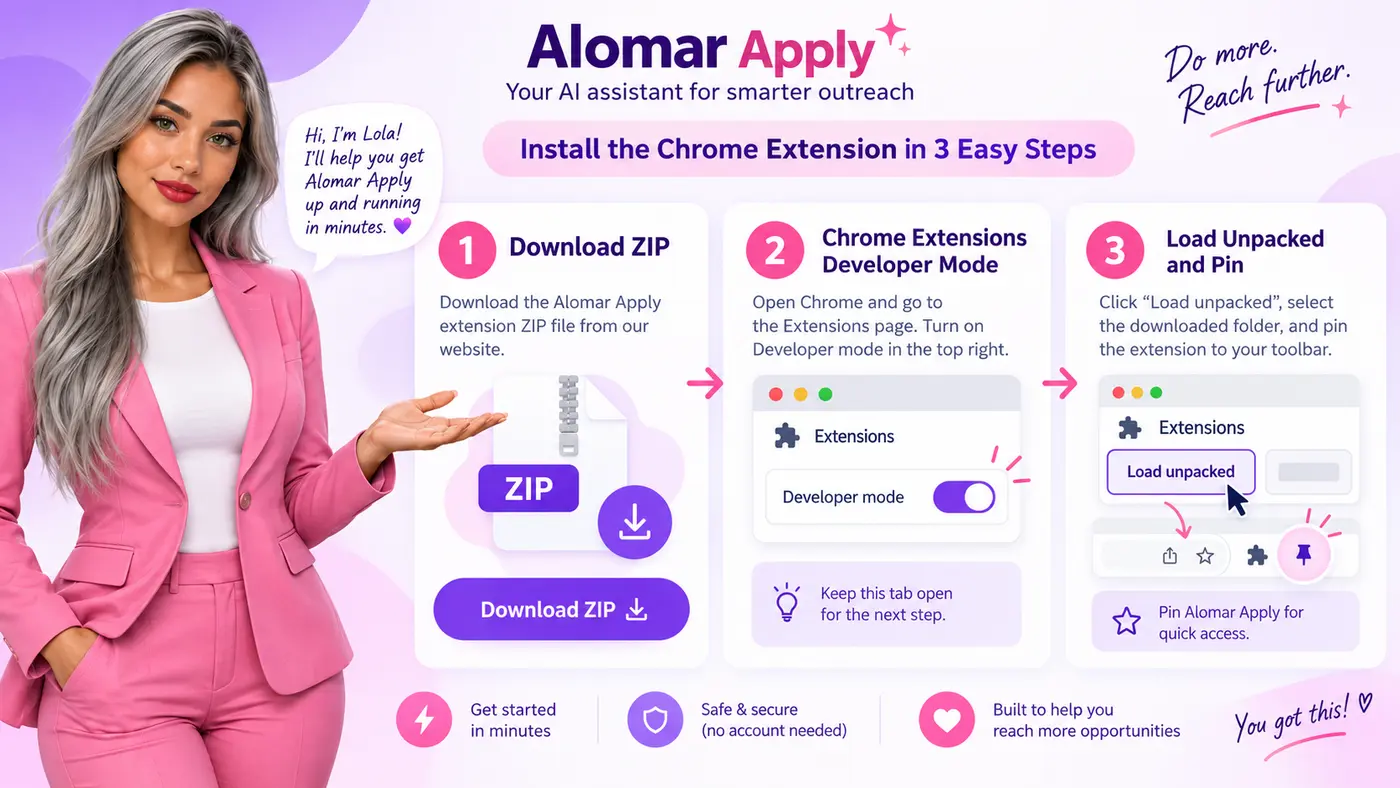
- Download the ZIP and extract it.
- Type chrome://extensions in Chrome. Turn on Developer mode.
- Click Load unpacked. Select the folder containing manifest.json.
- Open the puzzle-piece toolbar menu and pin Alomar Apply.
- Sign into website Membership and connect, or paste a manual activation key into extension Membership.
- Refresh Indeed. Open one jobs page and click Start.
Keep Chrome open. Update using Reload in the same folder to preserve local history. Follow the written Chrome controls below. Lola’s artwork illustrates the guide; it is not a Chrome screenshot.
Default resume, recovery & debugging logs
Your first application, step by step.
Install → open one Indeed page → Start. Connect Membership before starting a run.

Animation explains the workflow; it sends nothing.
Your defaults
Applicant street, city, state and ZIP stay blank. Company-location fields are separate. Relocation questions starting “Will you be able to relocate” use Yes. The shown media-buying experience question uses 8. Other unsupported numeric questions are logged for your attention.
If something stops
Recoverable job errors are recorded in history and skipped when continuing through the page. Login and verification screens are handled by waiting and checking again; Lola does not solve CAPTCHA challenges. The queue ends after this page’s saved jobs; it does not reapply in an endless loop.
What the tests mean
Automated checks cover supported controls and state handling. Live Indeed compatibility remains unverified. Intermediate Continue steps may save data to Indeed.