Connect account
Sign in on Alomar Apply and check that this Chrome profile is connected.
 AlomarApply
Download free
AlomarApply
Download free
AI JOB APPLICATION BROWSER AUTOMATION
Search for remote job options. Lola helps apply on Indeed and LinkedIn while you stay in control.
Search once, let Lola remember the keyword, and use automatic job application AI to keep your daily applications moving. Start free with 2 applications per day on Indeed and LinkedIn.
Try searching for a better-paying marketing role
Your information stays separated by account and Chrome profile. Lola does not bypass CAPTCHA, login, employer review, or job-site protections.
Watch the setup, then use the free download flow below.
Today’s free plan
0 / 2 job applications readyLinkedIn Easy ApplyOpen, fill safe answers, stop for review.
HOW IT WORKS
Sign in on Alomar Apply and check that this Chrome profile is connected.
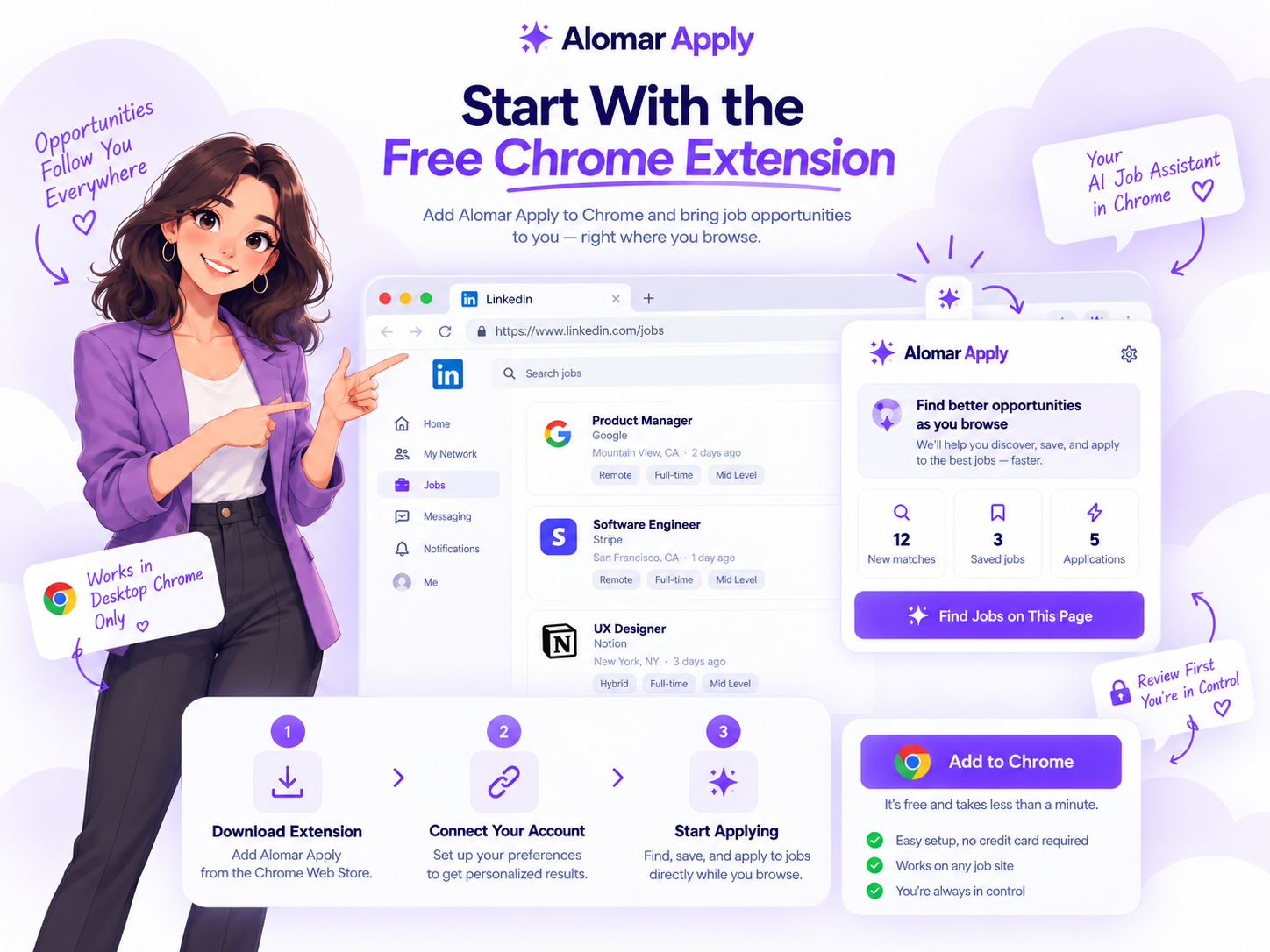
Download, unzip the folder, then choose Load unpacked in Chrome Extensions.
Keep email, phone, experience, relocation, and profile answers unique per person.
Lola pauses for unknown questions, sensitive answers, login, and human verification.
REVIEW-FIRST FEATURES
Popular job-search assistants highlight autofill, trackers, resume tailoring, match signals, and privacy controls. Alomar Apply keeps those ideas protected and user-controlled: save truthful profile details, review important steps, and pause when a site asks for human verification.
Keep common details organized per Chrome profile, then edit phone, relocation, work authorization, experience, disability, and custom answers before use.
Track supported submissions, skipped company-site jobs, manual-review stops, and confirmation status without exposing resumes or raw private answers.
Use truthful resume notes and role-specific guidance to decide whether a job is worth applying to before spending daily plan usage.
Review, export, or delete local job-search records where supported. Human verification and unknown required questions pause for your decision.
LOLA · CAREER COACH
These visual cards show what Lola does before someone gets lost in technical setup words: pick a target, create the account, install Chrome, then build a daily routine.

I need a job. Where do I start?
Pick one target, create your account, install Chrome, then apply with a steady daily routine.
Can I eat dinner while Lola helps?
Yes. Keep Chrome open, start in Review Mode, then return when Lola needs your decision.
I want more income. What should I search?
Try part-time, remote, marketing, sales, HR, assistant, and higher-paying roles that match your real experience.
PICK A SIMPLE PLAYBOOK
Lola is built for people who are not trying to become technical. Pick a plain-English routine and start with two free supported applications.

CURRENT PLAYBOOK
Open Chrome, start Lola in Review Mode, then take a walk while Lola handles supported repeated steps and pauses when you need to review.
Lola assists supported browser steps only. Keep Chrome open and review anything unfamiliar, sensitive, or employer-specific.
DAILY CAREER FAIR · MONDAY-FRIDAY · 8 PM EST
Join the daily career fair, then use Lola to keep your job search moving before and after the event. Turn on reminders only if you want browser notifications.
Location is optional and only helps personalize local and remote job examples in this browser.
Reserve a seat through the secure support channel →WHY PEOPLE START
You might want a stronger salary, a replacement job before a layoff, a second income stream, or simply a job search that does not take over your evening.
Tabs everywhere. The same form questions. A search that stops when life gets busy.
“I’m making $40,000. Where do I even start?”
“I need a backup plan.”
 LOLA HELPS YOU PREPARE
Search by role, pay, schedule, and location. Keep supported applications and details in one guided workflow.
Marketing roles saved ✓
Part-time income ideas ✓
Applications ready to review ✓
Alomar Apply does not promise a salary, job offer, interview, or employer response.
 Role matchReview first Lola is checking the next step
A CLEARER JOB-SEARCH ROUTINE
Start with a target—higher pay, flexible work, freelance projects, or a replacement role—and turn it into a simple desktop routine.
Illustrative planning example, not a customer testimonial or promise of employment.
FIND YOUR NEXT PATH
Job boards publish new openings constantly. Lola helps you turn your own search into an organized next-step list, even when a broad market search shows 30,000+ postings to sort through for side income, part-time hours, remote jobs, full-time roles, and higher-paying career moves.
Illustrative job cards—not live listings. Lola only assists after you choose a supported application workflow.
Focus on assistant, customer support, social media coordinator, admin support, and flexible roles while you learn the workflow.
$40k+ planning targetSearch marketing, HR, sales, operations, and project roles that match your current experience and resume.
$80k–$120k examplesCompare executive assistant, manager, director, technical, and senior roles so you can keep options open.
$120k–$200k+ examplesSalary bands are search examples, not guarantees. Apply only with truthful information and review each employer requirement.
HOW THE FREE EXTENSION WORKS
You choose the role. Lola helps with the repetitive parts on supported pages.
Open a role that matches your pay, schedule, location, or income goal.
Open the extension inside desktop Chrome and choose Review Mode or your saved workflow.
Lola uses the information you saved. Unknown required questions pause for you.
Confirmed applications and job details stay in your history for follow-up.
Alomar ApplyReview Mode
Marketing manager · Remote
Paid social coordinator · Hybrid
Freelance email specialist · Remote

“We’d like to talk about your application.”
Illustrative notificationKeep Chrome and the job tab open. Lola cannot work while your computer is off and does not bypass CAPTCHAs, logins, or identity checks.
WHAT THE FREE TOOL CONNECTS TO
Start with the free Chrome extension. The dashboard helps you add more guidance as you learn what jobs, schedules, and income targets you want.
Use truthful resume-ready structure for beginner, experienced, part-time, remote, and leadership searches.
Use weekly prompts to choose roles, prepare follow-up, and compare job options without losing momentum.
Practice why you want the role, what you can do, and which questions to ask before the call.
Save reusable, truthful answer styles so Lola can help you keep applications consistent.
Let Lola assist with supported repetitive Chrome steps while you stay responsible for review and final decisions.
Use included AI guidance for coaching and setup within fair-use, safety, plan, and provider availability limits.
WHAT IS INCLUDED?
Start free. Use the basics. Upgrade only when you need 100 daily applications, lifetime access, or reseller rights.
| Included | Free start | Paid path | Plain-English benefit |
|---|---|---|---|
| AI job applying Chrome extension | 2 applications/day | AI Job: 100 applications/day | Try the workflow before paying. |
| Resume Templates | Starter guidance | More role-specific planning | Know what to prepare before applying. |
| Personal Job Career Coaching | Weekly prompts | More advanced routines | Pick a direction instead of guessing. |
| Interview Job Assistance Scripts | Basic call prep | More follow-up support | Be ready when someone calls. |
| AI Clone Templates | Reusable answer style | More saved workflows | Keep answers consistent and truthful. |
| Browser Automation | Supported pages only | AI Job, Lifetime, or Enterprise | Reduce repeated clicking and form steps. |
NEW PLANS
Every plan includes unlimited updates. Start free, upgrade for daily volume, buy lifetime access, or resell the app with Enterprise.
2 automatic job applications per day on Indeed and LinkedIn.
100 automatic job applications per day on Indeed and LinkedIn.
Lifetime license for Alomar Apply with no monthly payment.
Resell the app at any fee and build your own job application service.
WHO IS THIS FOR?
Search part-time, weekend, remote, and freelance work without losing track of every application.
Keep options moving before a layoff, schedule cut, or stressful workplace decision.
Compare roles around $40k, $80k, $120k, or higher based on your experience and location.
Use Lola for supported repetitive steps while you stay responsible for truthful answers.
KEEP YOUR OPTIONS VISIBLE
Looking for a new role does not mean you are leaving today. It can mean learning what is available, practicing your story, and being ready to compare a future offer with your current situation.
Illustrative salary comparison only. Alomar Apply does not promise pay, offers, interviews, references, or job security.
Start your free job search
HOW MUCH TIME COULD THIS SAVE?
These are planning examples only. The point is simple: every repetitive application step you organize can give time back for interviews, family, dinner, a walk, or learning a new skill.
Example time value
$13/day 2 applications × 20 minutes × $20/hour Estimates are illustrative time math, not income, interview, or hiring guarantees.THE VALUE OF A SYSTEM
Alomar Apply is not a replacement for a human career coach. It gives you a simple place to begin: clearer searches, saved application details, and less form repetition.
Try 2 applications freeWHAT DO YOU WANT TO IMPROVE?
FREE EXTENSION SETUP
Email goes to HighLevel with the alomarapply tag, phone and consent unlock setup reminders, then GPT login connects the ZIP download to one license.
MORE THAN A BUTTON
Alomar Apply gives you a clear starting point when a job search feels urgent, confusing, or too time-consuming.

Use your own resume, organize saved details, and use templates or guidance that help you prepare your materials.
Explore resume tools →Beginners can start with one clear resume. Experienced users can keep role-specific notes for marketing, sales, HR, assistant, or leadership searches.
Set up profile details →Use the Help Center’s weekly check-in guidance to choose roles, track follow-up, and keep your search focused.
Open weekly guides →Keep job details together so you can prepare thoughtful questions and follow-up before an employer conversation.
Open interview guide →LEARN AS YOU GO
Choose a short guide, then return to Alomar Apply when you are ready to start your own supported job workflow.
Swipe through 5 quick guides
Start with your profile, alerts, and saved jobs.
Try the free extensionUse a thoughtful profile and find Easy Apply roles.
Get started freeUse truthful achievements and relevant keywords.
Download free extensionPractice your examples and questions before you meet.
Create free accountSave roles, follow up, and adjust your search.
Apply to 2 jobs freeVideos are third-party educational resources. Alomar Apply is not affiliated with their creators, Indeed, or LinkedIn.
A WEEKLY ROUTINE YOU CONTROL
Pick a pace that fits your plan, your qualifications, and the time you have to review each application. Quality and fit matter more than a made-up number.
Start with 2 free applicationsEXAMPLE PLANNING VIEW
KNOW SOMEONE LOOKING?
Share the free extension with a friend, coworker, or family member who needs a new job, a higher-paying role, or an extra income option.
They create their own account and verify their own email.
START SMALL TODAY
Create your free account, install the extension on desktop Chrome, and try up to two job applications today.
QUESTIONS
Clear expectations before you install.
It is a desktop Chrome extension from Alomar Marketing LLC. It helps you organize, review, and complete supported job-application steps after you choose a workflow.
The Free plan includes 2 job applications per day on Indeed and LinkedIn. AI Job is $20/month for 100 applications per day, Lifetime Applying is $100 for a lifetime license, and Enterprise is $500 for reseller rights.
Lola can help you search and apply more consistently, but she cannot guarantee any salary, interview, call, or offer. Employers decide who they hire.
No. The extension needs desktop Chrome and the relevant job tab open. You may need to return for login, CAPTCHA, identity checks, unknown questions, and final review.
Included coaching and setup guidance can be used broadly within fair-use and safety limits. Your daily application allowance depends on your plan, and optional provider keys can have separate provider charges.
Use the Help Center or the secure support channel from your account page. Do not send passwords, one-time codes, raw keys, or private job-site credentials.
MULTILINGUAL JOB SEARCH
The Chrome extension and website are being indexed for 52 language markets so more job seekers can find an AI job application assistant for Indeed, LinkedIn Jobs, and Google Careers.
English, Spanish, French, German, Portuguese, Italian, Dutch, Polish, Swedish, Danish, Norwegian, Finnish, Czech, Slovak, Hungarian, Romanian, Bulgarian, Greek, Turkish, Russian, Ukrainian, Arabic, Hebrew, Hindi, Bengali, Urdu, Indonesian, Malay, Vietnamese, Thai, Korean, Japanese, Simplified Chinese, Traditional Chinese, Filipino, Swahili, Afrikaans, Catalan, Croatian, Lithuanian, Latvian, Estonian, Slovenian, Serbian, Persian, Tamil, Telugu, Marathi, Gujarati, Kannada, Malayalam, and Punjabi.
YOUR NEXT OPTION IS OUT THERE.
Try the free desktop Chrome extension and apply to two jobs today.
Get the free extension